
A big thank you to ACMER for sending the ACMER Ascarva 4S CNC Router Machine to be enjoyed this holiday season. As always, no monetary compensation was received in exchange for this rave review.
Here at Rave Central, we are learning to be more self-sufficient. Not anything crazy like living off the grid or anything, more like making our own handmade items and DIYing what we can. One thing that has been on our list for a long time is a router that can help us take our woodworking and DIY-ing to the next level. And, to me, the ACMER Ascarva is the stuff dreams are made of.
This is what my view looks like these days, and I don’t mind one bit.
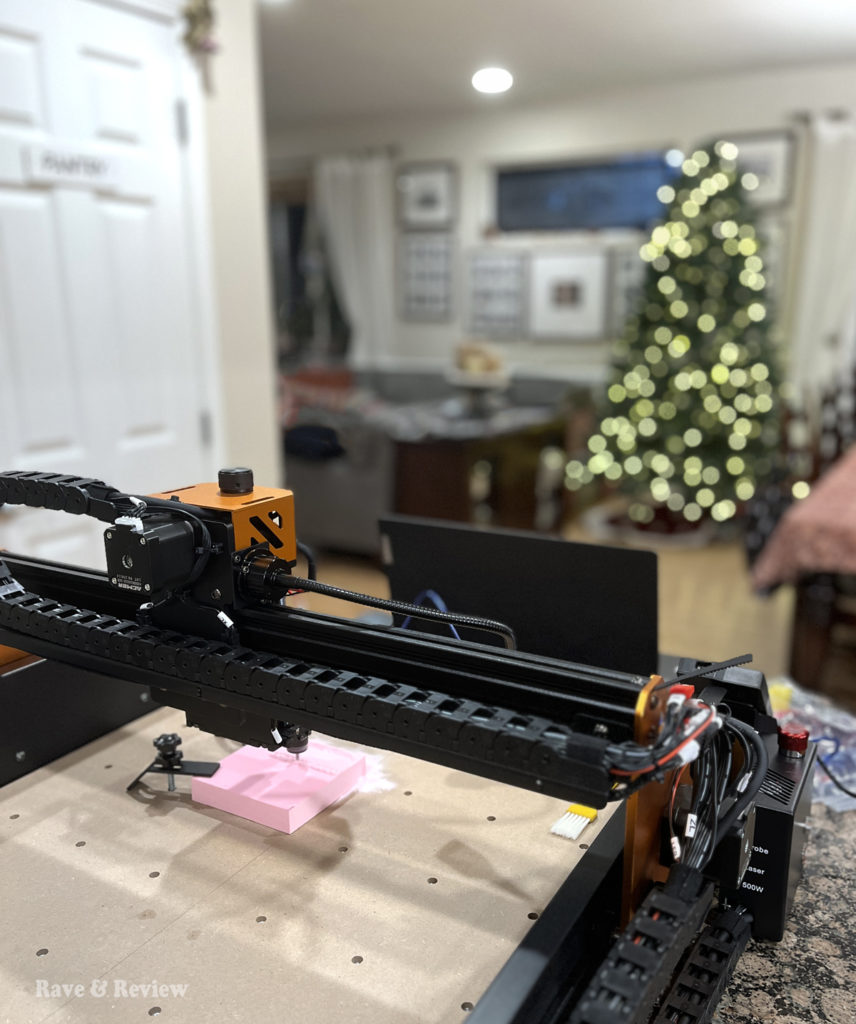
Introducing the versatile ACMER Ascarva CNC Router
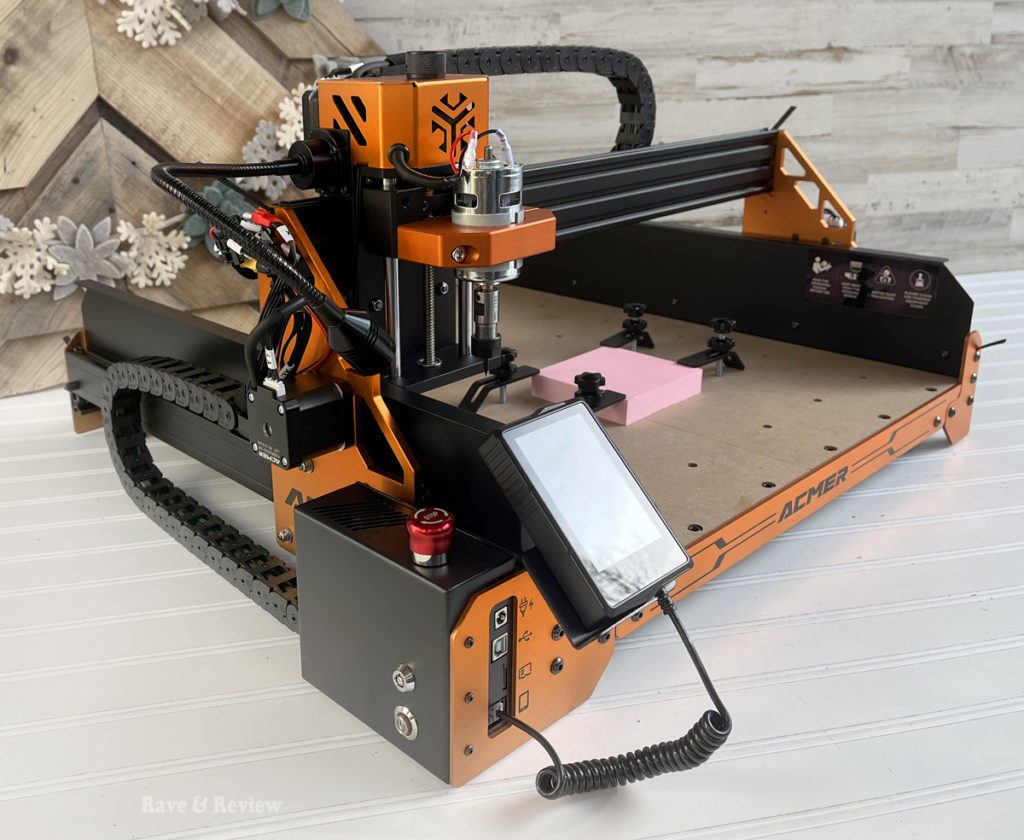
The ACMER Ascarva CNC Router is a pro-level carving machine that offers ultra-high precision carving on multiple surfaces, including wood, MDF, soft metals, plastic, acrylic, epoxy, etc. This versatility means that you can use it for multiple scale projects – all the way from larger art pieces, small trim, decor, and even miniature designs for our dollhouse and more.
One of the very best things about the Ascarva 4S is that the entire CNC machine is modular. This makes it incredibly easy to assemble, repair and update parts as often as you’d like. It comes standard with a 70W spindle for daily engraving tasks and can be upgraded to 500W spindle to tackle larger projects or harder materials.
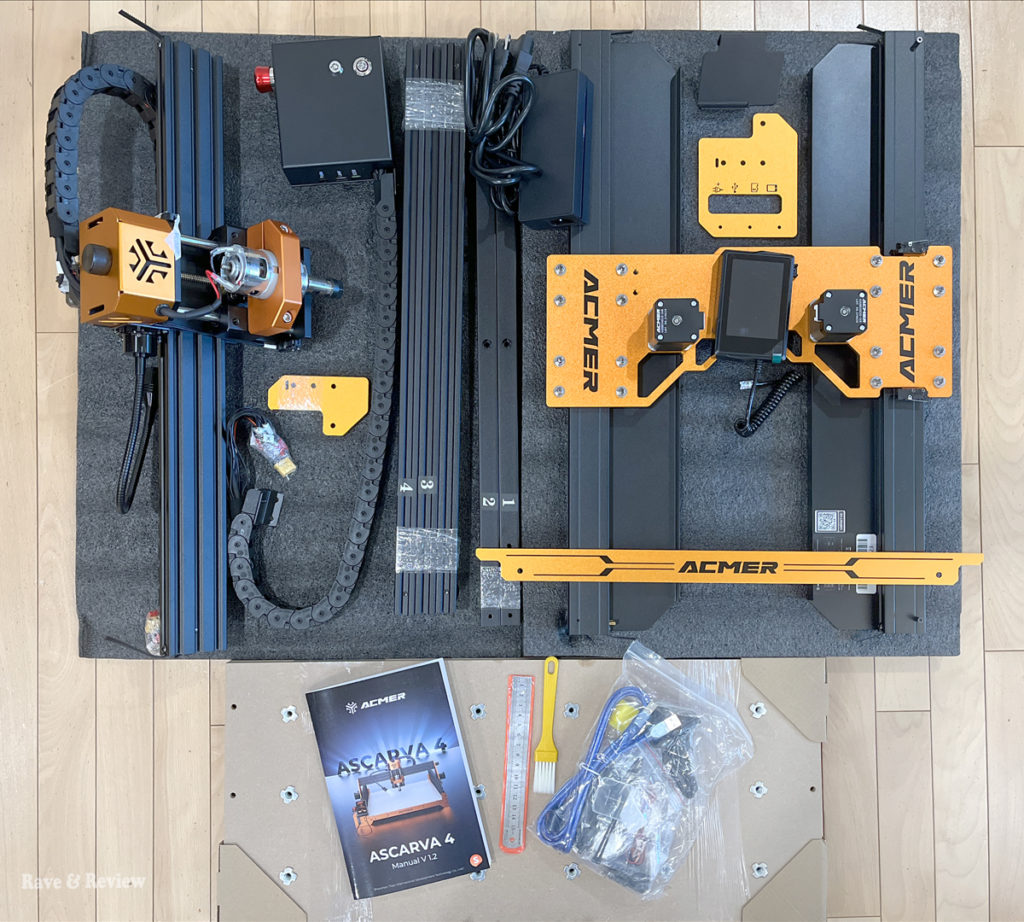
But, that’s not even the best part yet. The Ascarva 4S CNC is compatible with their 5W/10W laser modules which converts the router machine into a laser engraver. Yes, you read that right. Add the laser module and you can use the Ascarva 4S for all of your laser engraving AND carving. This 2-in-1 machine can truly do it all, which makes it perfect for so many more projects and DIY creations. You can use wood, plastic, and acrylic with the knife module, and can use paper, leather, stone, shell, bone, and metal with the 500W module as well as wood, plastic and acrylic.
The ACMER CNC engraving machine has a 3.5-inch touch screen and manual adjustment function in an intuitive and easy to use design. Adjustments are easy to do and set up for each project is surprisingly simple so you can start creating right away. And, trust me, you’re going to want to start creating right away. The ACMER Ascarva arrived right as my incredibly busy season was in full swing, but I still found plenty of time to search and create files, and to print a few designs.
Our plans for the ACMER Ascarva 4S
I love that the ACMER Ascarva 4S can create cool, intricate designs for a variety of crafts and projects. Seriously, the list of things you can do with this little machine is wild. From routing, cutting, engraving and more, I have thought of hundreds of uses and every day I add another project to the list. But, I would say that I’m most excited about expanding more into wooden mediums with the help of the Ascarva 4S.
I haven’t made it a secret that one thing I’d love to get more into is wood working, but up until now my skills lag far behind what I dream up. I’m incredibly excited about being able to bridge that gap and make crests, miniature scenes, bias relief wood maps, carved cutting boards, wall art, planters, vases, trivets, custom signs, jewelry boxes, etc. by using one of my actual skills – design work on the computer. Once I master creating my own files to carve, we can then personalize everything we own and make custom designs as presents as well as use our creations for home improvements.
A little backstory: when we bought our builder-grade home over 20 years ago, we knew we wanted to infuse some character wherever possible. This meant hundreds of dollars spent on small trim pieces, but worse was that we were at the mercy of trim makers hoping that they would make pieces we liked and then keep making them throughout our entire character-building process.
After multiple trips to all of the hardware and lumber stores near me, I found myself very dismayed at the trim choices available commercially. To think how much easier it would have been to make our own designs and infuse character if we had the Ascarva. We could have made the corbels we used in our mantle wall, we could have added the corner caps I wanted on our built-ins, we could have recreated our drawer fronts when we extended our kitchen, and so much more. And, then we could update the CNC machine and add a laser module and then add to this list of projects we can make.
I’m so excited to start designing my own artwork and see what I can create with the ACMER Ascarva 4S. I have big dreams of creating miniature furniture for my daughters’ dollhouses, creating custom signs and name plates, and finally creating the perfect trim pieces I’ve been searching for forever.
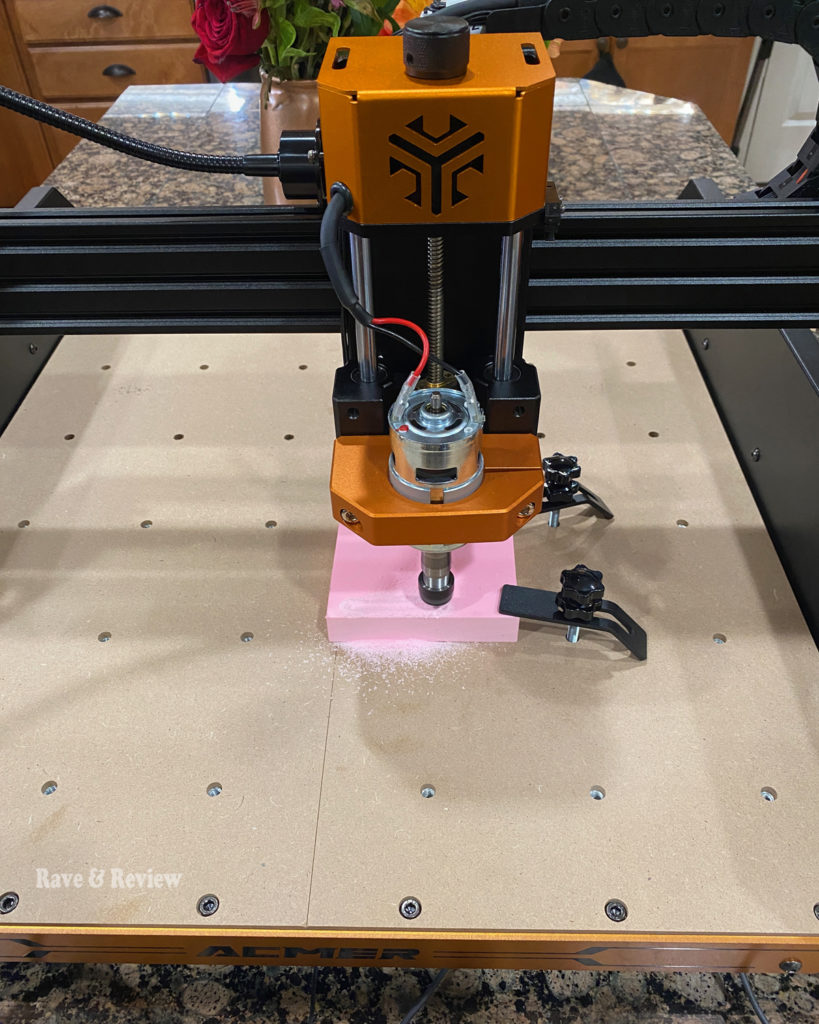
The first design took quite a bit longer than it should have, but we learned a few really important things from our mistakes in our first few runs with the ACMER Ascarva 4S:
1) set your computer to not go to sleep, otherwise it will pause routing and you will have to restart the process. Not the end of the world, but it did leave a slight height difference on our first project that we would have to sand to remove or manually carve out of the design.
2) the quality of the carving isn’t necessarily better if you set it slower. We started it at the recommended speed, but when it was still going hours and hours later, we figured out that we needed to speed it up substantially. The quality remained the same on the softer material we were using, but this will obviously depend a lot on your medium you are using.
3) calibrating the height of your piece is crucial, and you should get the bit as close as possible to your medium you are carving. Our first test piece wasn’t as close as it needed to be, and we lost some detail in the higher portions of the artwork. Learn from us and calibrate the height with precision in order to get the best results.
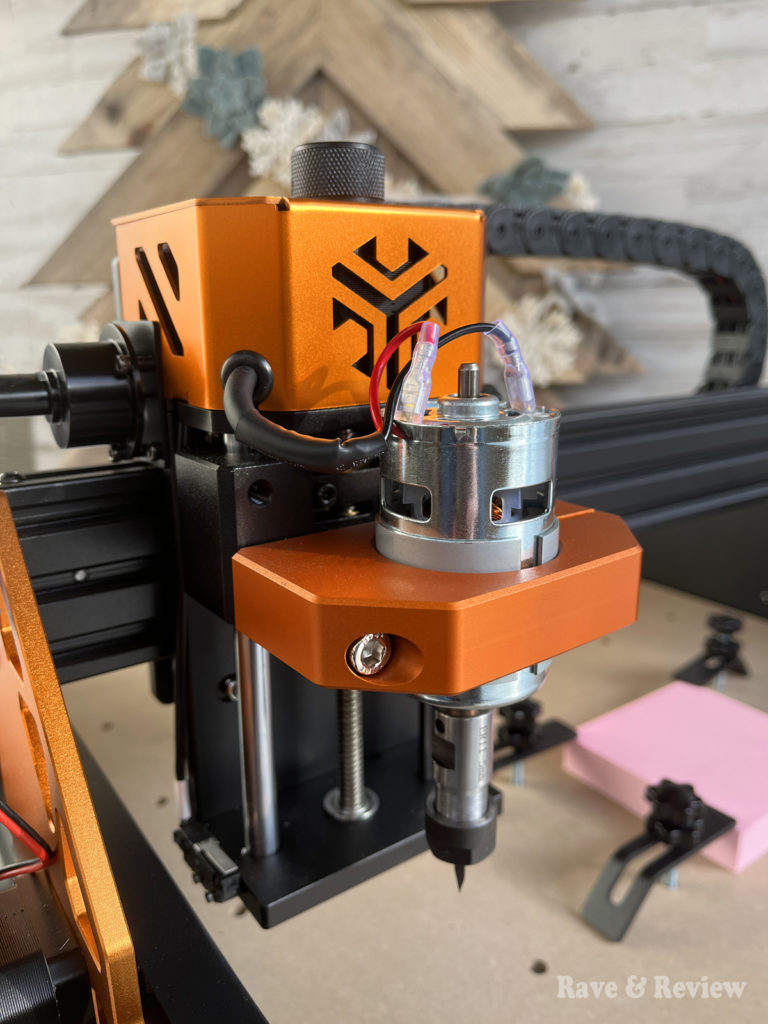
In addition to learning from our mistakes, I also was pleasantly surprised by so many aspects of the ACMER Ascarva. For one, the machine is much quieter than I had imagined. It was easy to talk over the top of the machine noise, and it only started to feel loud when it was really late at night and the kids were going to sleep. Ideally, it will eventually move to the garage when we’re working on big projects that will last hours, but for reviewing purposes and experimenting I wanted to keep it close, so it sat at our island while it carved.
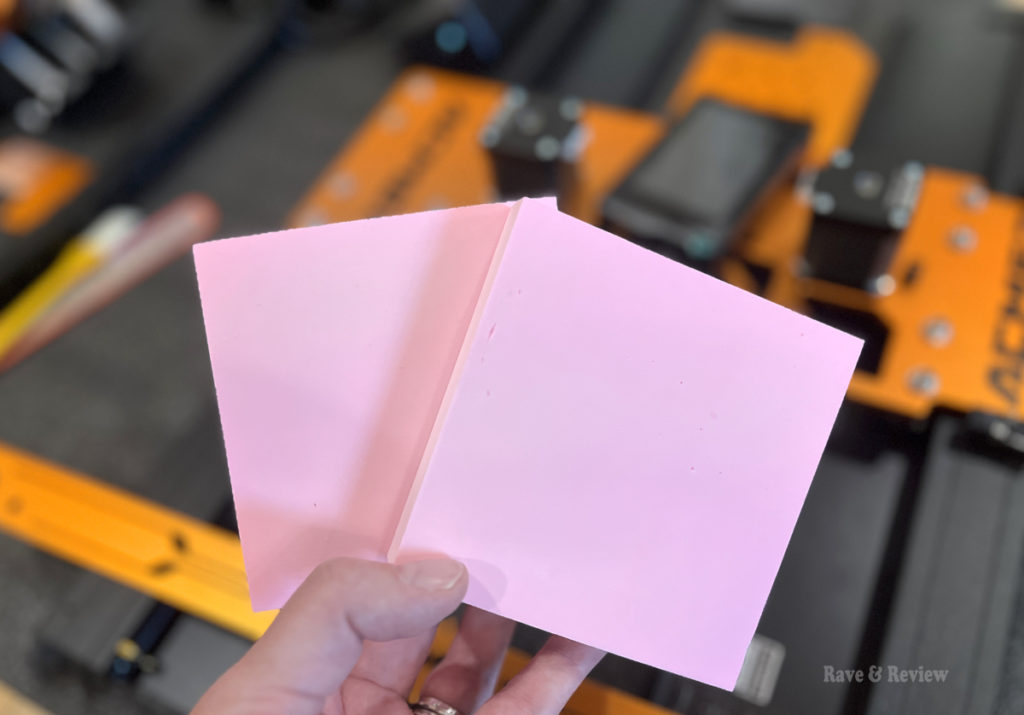
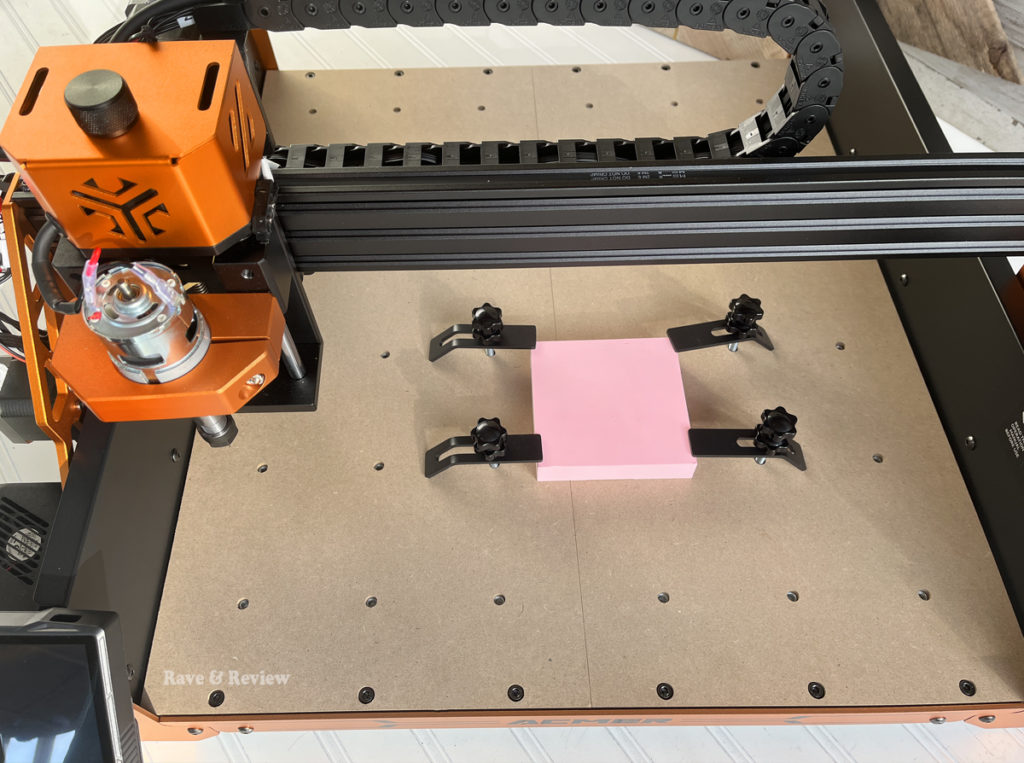
I was really excited to see that ACMER had included two test blocks so we could clamp them down and start carving the day it arrived. Nothing makes me more excited than getting started on a project immediately and not having to run out for supplies while you’re still learning a new skill, so seeing these bright pink blocks included made me giddy with excitement – the carver would be creating in no time!
Speaking of having the Ascarva 4S in our living spaces, another nice surprise was that the machine is much cleaner than I thought it would be. I pictured a routing tool and was so worried about shavings and dust. I expected the mess to be similar to using a circular saw or something similar, but was shocked that the shavings stayed right on top of the piece as it routed. I would periodically brush the sawdust off the design so I could peek at it, but the dust all stayed in a nice, neat pile otherwise.
Overall, it was even easier than I thought it would be to get started – especially since this is an entirely new crafting arena for us. I worried it would be too hard to set up and start it going. I worried that it would be messy and loud and I would have to sit in a cold garage while creating. And, I worried that I would be too intimidated to fully utilize it. Luckily, I can admit when I’m wrong, and I was definitely wrong on this one.
Now that I’m loving the ACMER Ascarva 4S, I have both the upgraded spindle on my wishlist and the laser module. I imagine making this a 4-in-1 multi-tool that can make all of my woodworking dreams come true and can’t even contain my excitement.
You can shop ACMER products on their website as well as on Amazon. Be sure to follow them on Instagram, YouTube, and Facebook.
What materials can the ACMER Ascarva 4S CNC Router machine work with, and why is this versatility useful for DIY projects?
You can use wood, plastic, and acrylic with the knife module, and can use paper, leather, stone, shell, bone, and metal with the 500W module, which makes it versatile for so many different DIY projects.